Download Files
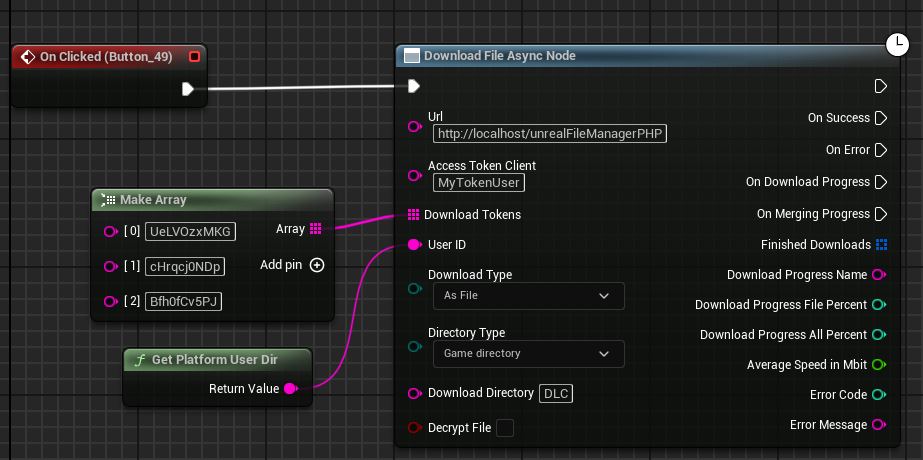
The Download File async node allows you to download files using tokens.
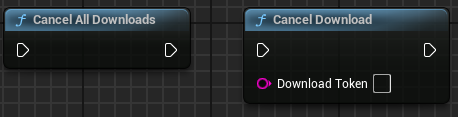
Input Parameters
URL
The URL to your server, including the directory where the PHP scripts are located.
Access Token Client
What you entered in $accessTokenClient in the settings.php file.
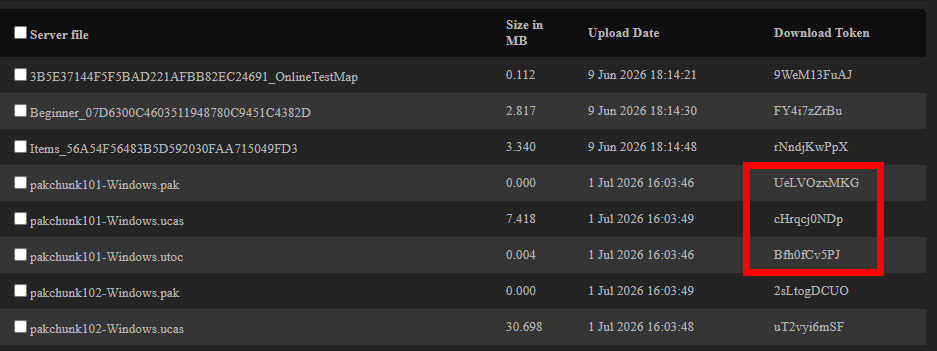
Download Tokens
Here, you need to enter the download token for the file you want to download.
You can also simply enter multiple tokens to download several files at the same time.
The file must be set to Public  for the download to work.
User ID
The user ID is used to track who is downloading the file and to enforce permissions for user files. If possible, it should be a unique ID that identifies a specific user.
Something like a Steam ID works very well. You might also want to salt it to be on the safe side.
In the demo, I simply used the user directory since it isn't that important in the demo.
Download Type
As File: The file will be saved in the specified directory.
To RAM: The file is stored as a byte array. So, in RAM.
Directory Type
Game directory: This is your project directory. That is, where the Content directory is located.
Absolute directory: Here, you need to specify the full directory path. On Windows, that would be something like D:\MyDirectory
Download Directory
Directory where the file should be downloaded.
Decrypt File
If you want an AES-encrypted file to be decrypted immediately after downloading, you can check this box.
Output Parameters
On Success
It will be fired once all files have been downloaded without errors.
On Error
This event is triggered if at least one file could not be downloaded. Even if only one file out of several is corrupted, this event is triggered.
On Download Progress
It is triggered during the download. Per file and, in general, for the entire download process.
On Merging Progress
Since the files have to be downloaded in 10MB chunks, they'll need to be merged together afterward.
This can take longer for larger files. That's why this pin is here specifically for that purpose.
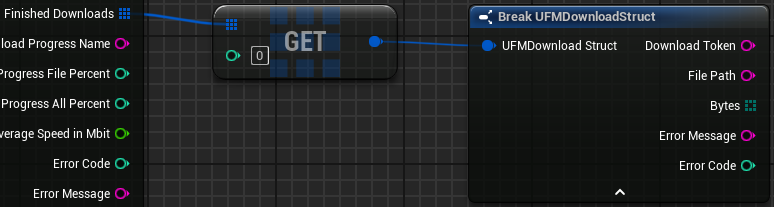
Finished Downloads
Returns an array containing a struct with additional information about the files. This includes the byte array for a RAM download.
Download Progress Name
Returns the download token for the file currently being downloaded. This is useful if you want to display a progress bar or something similar for each file.
Download Progress File Percent
Returns the download progress for each file as a percentage.
Download Progress All Percent
Returns the cumulative download progress for all files.
Average Speed in Mbit
Returns the average download speed in Mbit/sec.
Error Code / Error Message
Returns an error code and a corresponding message. Most error messages can be found in the PHP files.
Standard HTTP errors, such as 404, might also be returned here.