JSON Struct
The plugin offers a few simple JSON functions.
By clicking the Struct to JSON button, you can view all the structs you've created and convert them to a JSON file.
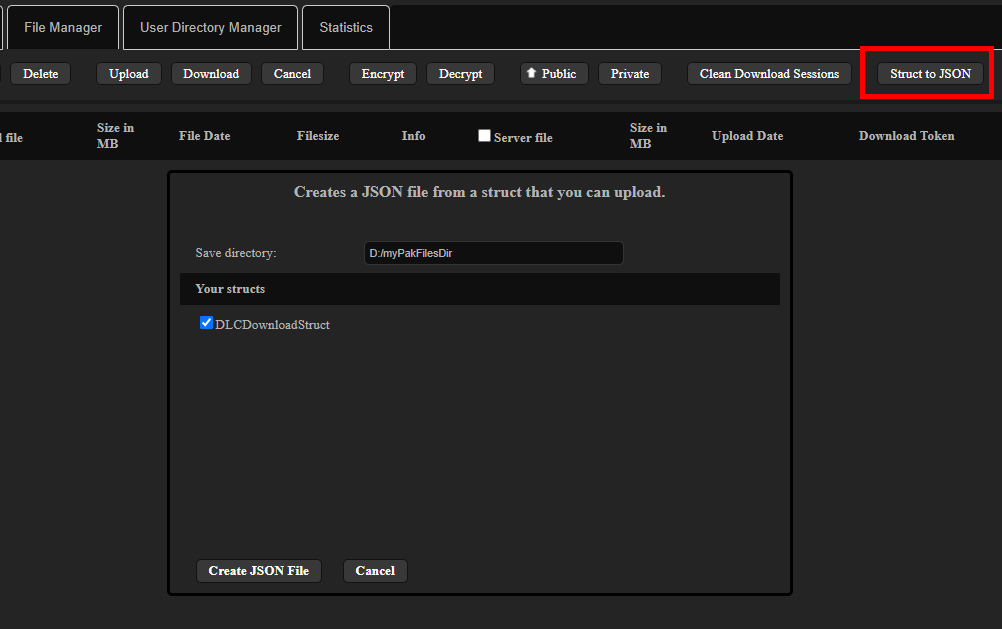
Once you've converted your struct to JSON, you can upload it as a file or save it as a string alongside a user file.
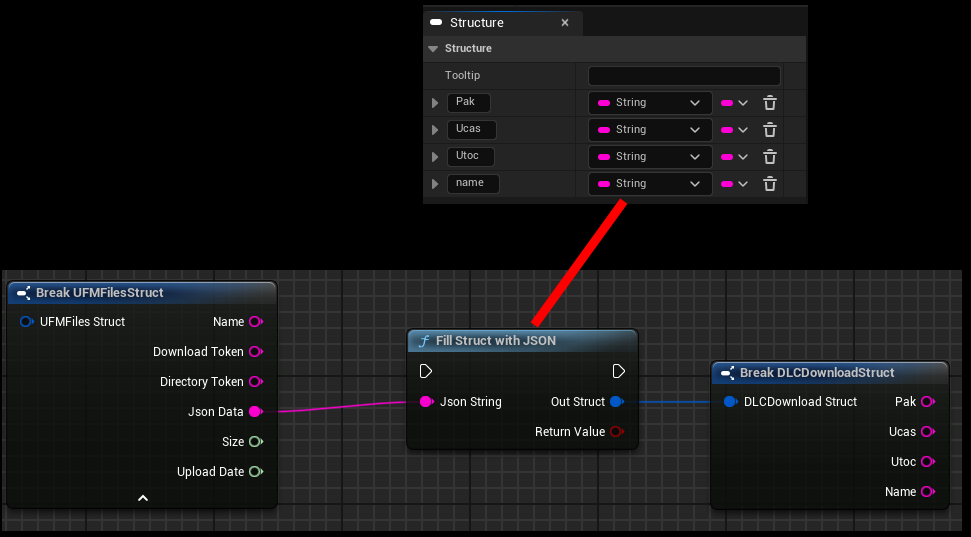
To read the values back, you can convert a JSON string back into a struct, and use break to access the data again.
For complex, nested JSON strings, check out my JSON parser plugin.
Update JSON
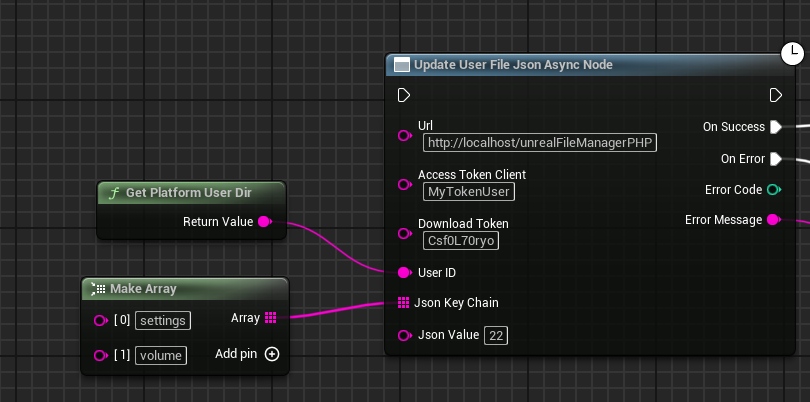
You can use the function Update User File Json to modify an existing JSON string.
If a key is specified that does not exist, this function will add it!
URL
The URL to your server, including the directory where the PHP scripts are located.
Access Token Client
What you entered in $accessTokenClient in the settings.php file.
Download Token
In the User Directory Manager UI, locate the file and the JSON string you want to edit.
User ID
The user ID is used to enforce permissions for user files. If possible, it should be a unique ID that identifies a specific user.
Something like a Steam ID works very well. You might also want to salt it to be on the safe side.
In the demo, I simply used the user directory since it isn't that important in the demo.
Json Key Chain
{
  "userName": "David",
  "settings": {
    "volume": "22",
    "showFps": true,
    "abc": "22.33"
  }
}
Here, you need to enter the key for the value you want to change. For nested JSON, you need to add another array element with an additional key.
Json Value
Simply enter the value here. If the value is true or false, a boolean is returned.
Otherwise, the plugin checks whether the value is a number, and if not, a string is entered.
SQLite does not have a bool type and stores an integer equal to 1 for true and an integer equal to 0 for false.
Read JSON
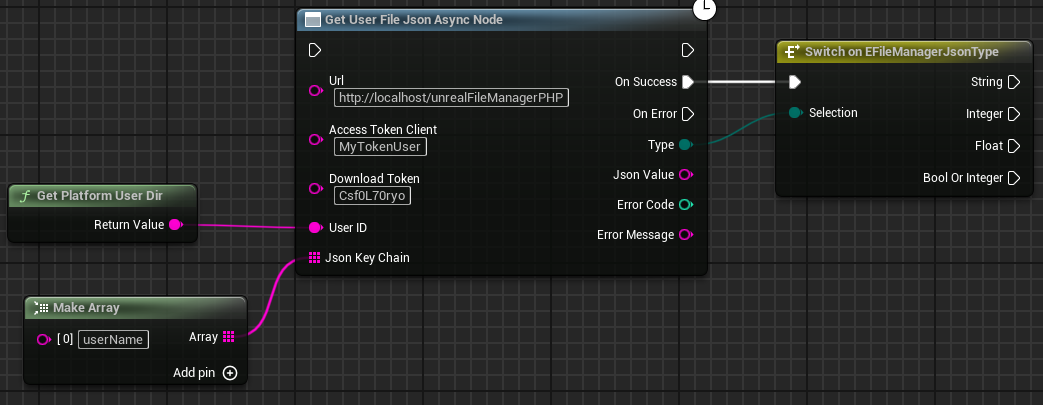
You can use the function Get User File Json to read a specific value from JSON.
If the key is not found, the On Success event is triggered with an empty JSON value.
URL
The URL to your server, including the directory where the PHP scripts are located.
Access Token Client
What you entered in $accessTokenClient in the settings.php file.
Download Token
In the User Directory Manager UI, locate the file and the JSON string you want to edit.
User ID
The user ID is used to enforce permissions for user files. If possible, it should be a unique ID that identifies a specific user.
Something like a Steam ID works very well. You might also want to salt it to be on the safe side.
In the demo, I simply used the user directory since it isn't that important in the demo.
Json Key Chain
{
  "userName": "David",
  "settings": {
    "volume": "22",
    "showFps": true,
    "abc": "22.33"
  }
}
Here, you need to enter the key for the value you want to change. For nested JSON, you need to add another array element with an additional key.