Settings
The settings in this UI are saved locally in the project's Config directory.
Example: D:\MyProject\Config\fileManagerPluginSettings.json
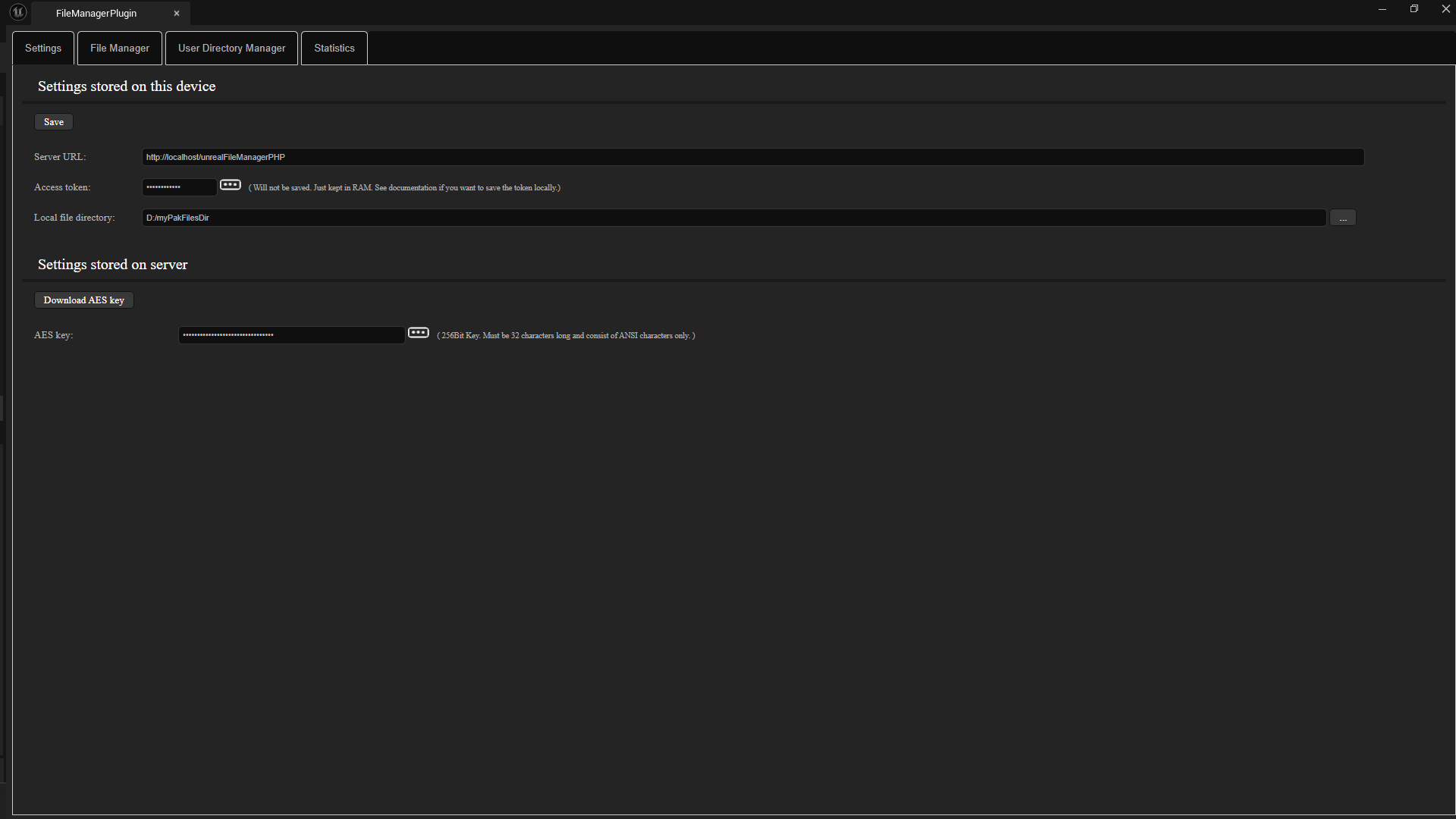
Server URL
Here, you need to enter the URL to your server, including the directory where the PHP scripts are located.
Acces token
Here, you need to enter the token stored in the PHP variable $accessTokenAdmi in settings.php.
For security reasons, however, this token is not saved. It is lost when the editor is restarted.
If you are certain that no unauthorized person can access the token, you can also save it in the UI. The plugin UI is an HTML page.
Open the file Content\menu.html in the plugin directory with a text editor and use the search function to find the text: id="accessTokenInput".
You can enter the token in the value attribute. Example: value="myAdminToken"

Local file directory
This directory contains the files you want to upload as an admin. These include files such as .pak files, etc..
AES key
The AES key is located in the settings.php file on the server.
However, since the files must be encrypted and decrypted in Unreal, you must load the AES key into RAM every time you start Unreal and want to use AES encryption.