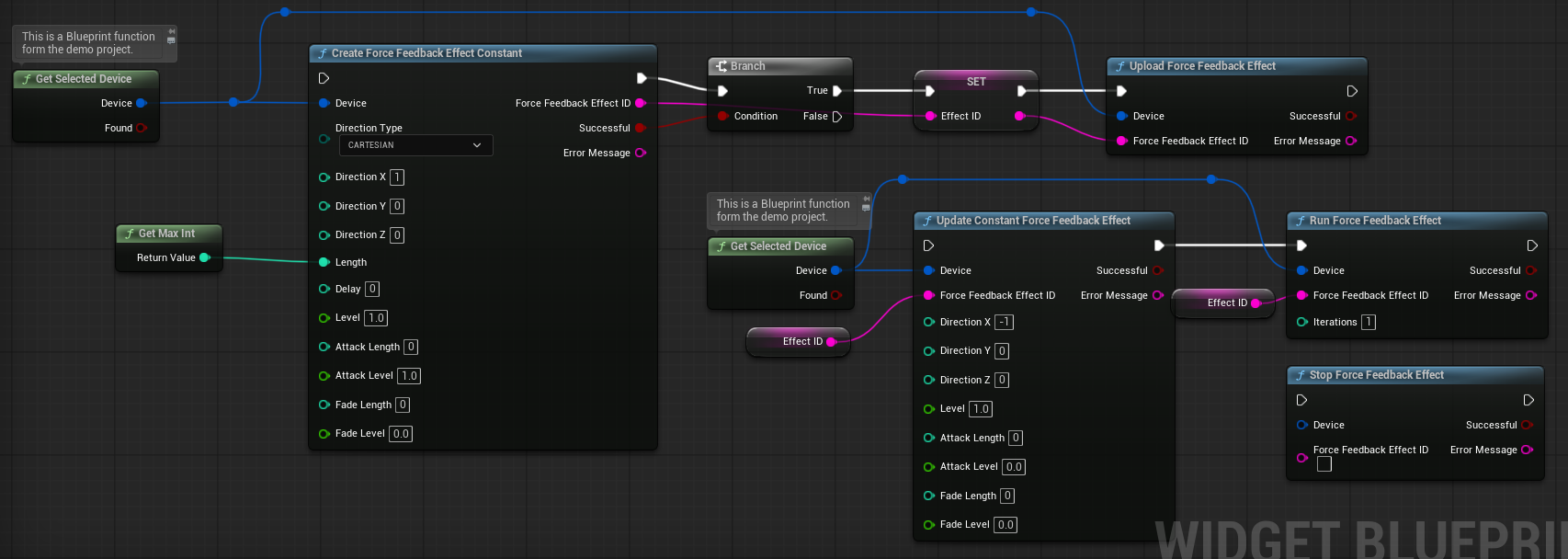
This plugin is based on the SDL Framework. I have taken over most of the Force Feedback functions. But I changed/left out a few things to make the plugin work with Unreal. I have simplified some parameters. Instead of entering a value 0 to 32767 you can use percentages 0 to 1.0. The nodes have tooltips with explanations.
I could not test all Force Feedback effects because I only have a few controllers and they don't support all effects. I am happy about feedback on this topic.
Original SDL documentation
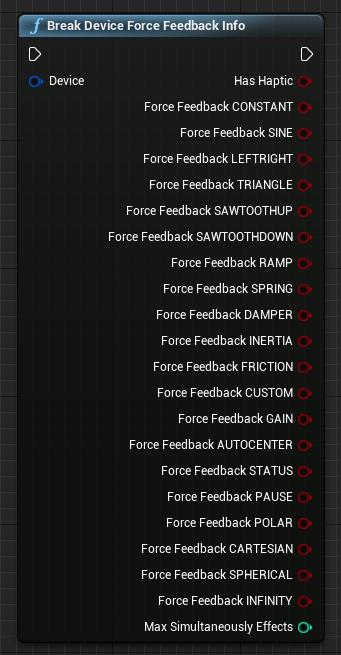
With this node you can determine which effects your device supports. Even if an effect is supported, it may still not work because of wrong parameters.
Important! The "Max Simultaneously Effects" variable shows how many effects can be uploaded (into the driver) at the same time. For an Xbox One gamepad only 1 effect can be uploaded. As long as the effect is not destroyed (unloaded) no more effects can be executed.
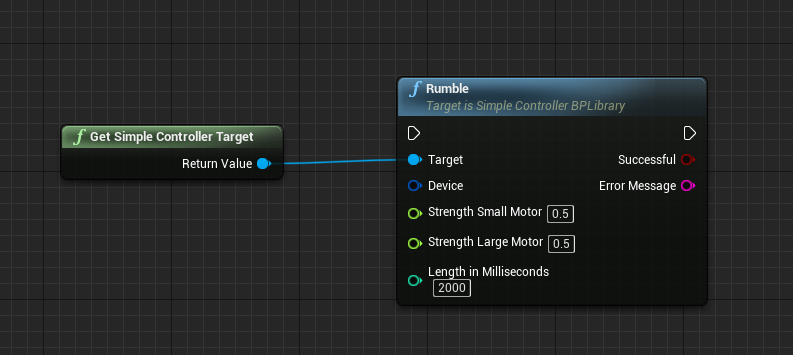
The Rumble Effect is the easiest. It is primarily intended for gamepads.
It is automatically created, uploaded and destroyed after it has run. If you run it with length 0 a running effect is aborted.
Strength in percent between 0 and 1
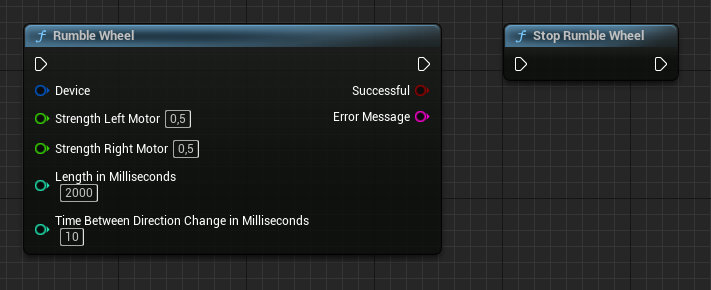
Since plugin version 3.0 the Rumble also works with steering wheels.
In addition, there is now the function "Rumble Wheel" with additional settings.
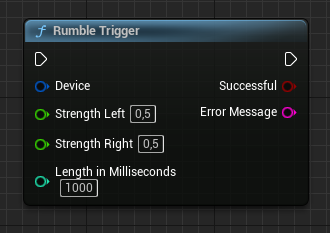
"Rumble Trigger" for the Xbox One controllers is also available.
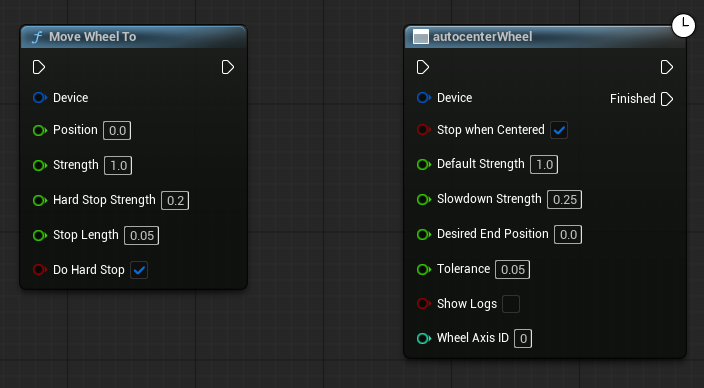
To simplify ForceFeedback with steering wheels I added the function "Move Wheel To" and the function "Autocenter Wheel".
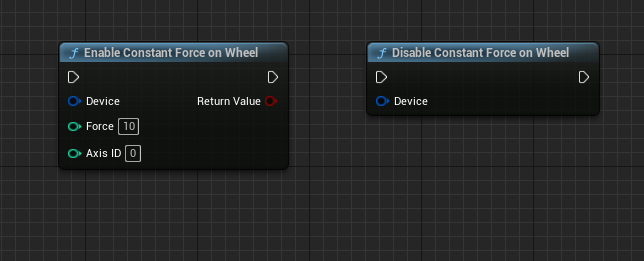
With the "Constant Force on Wheel" functions a resistance can be generated. The plugin attempts to apply the “Friction” effect. If this is not available the plugin analyzes the movements and always tries to move in the opposite direction.
SDL FoceFeedback functions
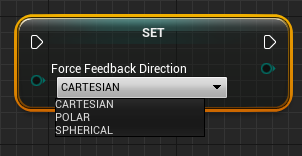
Complex effects usually support three types of direction indication.
CARTESIAN supports three axes (X,Y,Z) You can only use the values 0,1 and -1.
POLAR supports only one axis (X). You must enter the values in hundredths of a degree between 0 and 27000. 90 degrees is 9000. 180 degrees is 18000 ....
CARTESIAN supports two axes (X,Y). Direction is encoded by two rotations. All values are in hundredths of degrees.
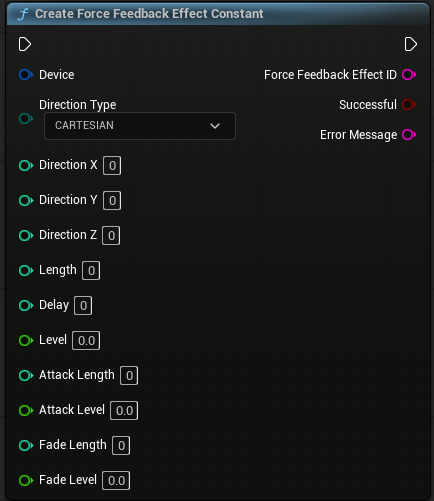
Constant effect
Strength
^
|
|    effect level -->  _________________
|                     /                 \
|                    /                   \
|                   /                     \
|                  /                       \
| attack_level --> |                        \
|                  |                        |  <---  fade_level
|
+--------------------------------------------------> Time

                   [--]                 [---]
               attack_length          fade_length

[------------------][-----------------------]
       delay                 length
Length: Duration of the effect in milliseconds
Delay: Delay before starting the effect in milliseconds
Level: Strength of the constant effect in percent between 0 and 1
Attack Length: Duration of the attack in milliseconds
Attack Level: Level at the start of the attack in percent between 0 and 1
Fade Length: Duration of the fade in milliseconds
Fade Level: Level at the end of the fade in percent between 0 and 1
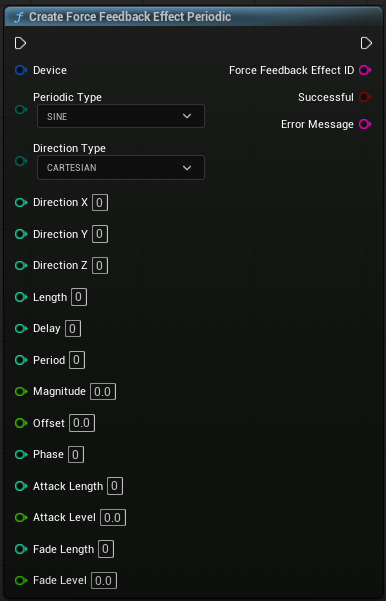
Periodic effect
                     period
                     |     |
          __    __    __    __    __    _
         |  |  |  |  |  |  |  |  |  |   magnitude
         |  |__|  |__|  |__|  |__|  |   _
    -----
      |            offset?
    delay          phase?

-------------------------------------
              length
===================================================
                      interval
Periodic Type
SINE |
__ __ __ __
/ \ / \ / \ /
/ \__/ \__/ \__/ |
TRIANGLE |
/\ /\ /\ /\ /\
/ \ / \ / \ / \ /
/ \/ \/ \/ \/ |
SAWTOOTHUP |
/| /| /| /| /| /| /|
/ | / | / | / | / | / | / |
/ |/ |/ |/ |/ |/ |/ | |
SAWTOOTHDOWN |
\ |\ |\ |\ |\ |\ |\ |
\ | \ | \ | \ | \ | \ | \ |
\| \| \| \| \| \| \| |
Length: Duration of the effect in milliseconds
Delay: Delay before starting the effect in milliseconds
Level: Strength of the constant effect in percent between 0 and 1
Period: Period of the wave in milliseconds
Magnitude: Magnitude peak value in percent between 0 and 1
Offset: Mean value of the wave in milliseconds
Phase: Positive phase shift given by hundredth of a degree. 0 = No phase displacement. 9000 = Displaced 25% of its period. 18000 = Displaced 50% of its period. 27000 = Displaced 75% of its period. 36000 = Displaced 100% of its period, same as 0, but 0 is preferred
Attack Length: Duration of the attack in milliseconds
Attack Level: Level at the start of the attack in percent between 0 and 1
Fade Length: Duration of the fade in milliseconds
Fade Level: Level at the end of the fade in percent between 0 and 1
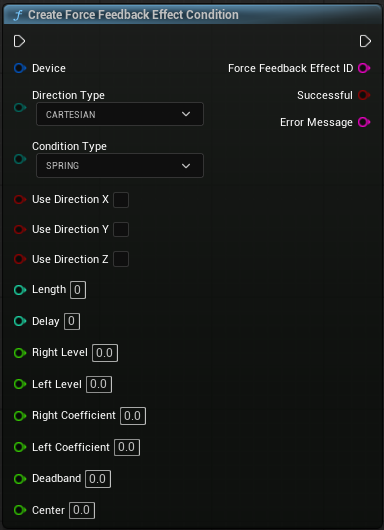
Condition effect
Contition Type: SPRING: Effect based on axis position, DAMPER: Effect based on axis velocity, INTERIA: Effect based on axis acceleration, FRICTION: Effect based on axis movement
Direction: Effect is applied to any direction that is TRUE
Length: Duration of the effect in milliseconds
Delay: Delay before starting the effect in milliseconds
Right Level: Level when joystick is to the positive side in percent between 0 and 1
Left Level: Level when joystick is to the negative side in percent between 0 and 1
Right Level Increase Speed: How fast to increase the force towards the positive side in milliseconds
Left Level Increase Speed: How fast to increase the force towards the negative side
Deadband: Size of the dead zone in percent between 0 and 1
Center: Position of the dead zone
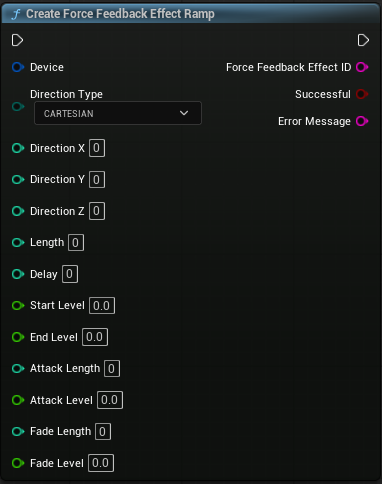
Ramp effect
Length: Duration of the effect in milliseconds
Delay: Delay before starting the effect in milliseconds
Level: Strength of the constant effect in percent between 0 and 1
Period: Period of the wave in milliseconds
Magnitude: Magnitude peak value in percent between 0 and 1
Start Level: Beginning strength level in percent between 0 and 1
End Level: Ending strength level in percent between 0 and 1
Attack Length: Duration of the attack in milliseconds
Attack Level: Level at the start of the attack in percent between 0 and 1
Fade Length: Duration of the fade in milliseconds
Fade Level: Level at the end of the fade in percent between 0 and 1
The LeftRight Effect is the Rumble effect and is therefore not additionally available. I did not implement the Custom Effect because the parameters are not Blueprint compatible and in my opinion it is unnecessary.
Except for the Rumble Effect, all other effects must be uploaded (to the driver) and executed. When an effect has been uploaded it occupies a slot.
Each device has a different number of slots. If all of them are occupied, no effect can be uploaded and executed.
My Xbox One gamepad has only one slot. My Logitech steering wheel has 128 slots. With the node "Destroy Force Feedback Effect" the effect is removed from the driver and the slot becomes free again.
You can use your parameters to calculate how long the slot will be occupied and then remove the effect. If an effect has a duration of 2000 ms and a delay of 1000 ms you can destroy the effect after 3 seconds.
You can also destroy running effects. They are then simply cancelled.
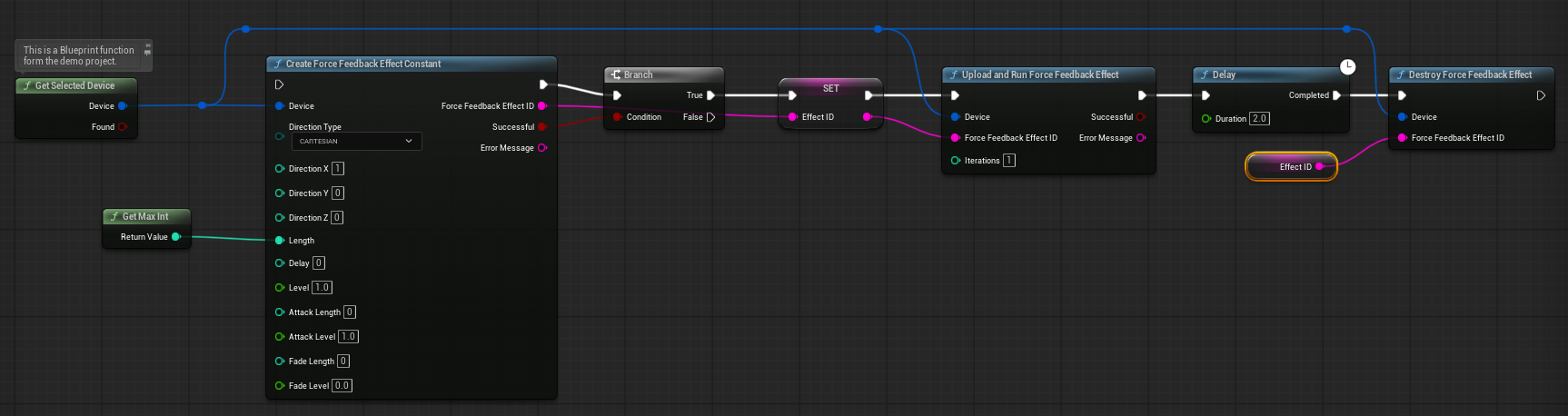
The force feedback effects can also be started, stopped and updated at runtime. Make sure to update the effects before they expire.
If the effect only has a length of 1 second, an update of the effect will no longer work after 2 seconds because it has expired.
You can enter 0 for the length to indicate an infinite duration, but not all steering wheels support this. That's why you can use the getMaxInt function from the plugin. This will give you approximately 28 days.
The best way to do this is to upload an effect with the maximum duration.
When you need the effect, run an “update” followed by a “run.” Uploading and destroying the effect is quite slow and shouldn't be done during gameplay, but rather while the level is loading or in similar situations.
“Slow” here means milliseconds, not seconds, but that's still too slow for the tick event.